No items found.
No items found.
AI has transformed the way businesses communicate, and Prezent has been leading the way by combining quality and speed to create presentations that are precise, audience-aware, and brand-aligned. For years, enterprise customers have trusted Prezent to deliver exceptional decks quickly—helping their teams tell clear, compelling stories without wasting hours on formatting or design.
But we kept hearing a common request: what about individuals or small teams who also need this power? Why should only large enterprises benefit from contextually intelligent, on-brand presentation creation? We listened carefully, and Prezent Lite was born.
Now, smaller teams and independent professionals can create AI-generated presentations immediately with self-service access. Prezent Lite makes it possible to create hyper-personalized presentations in seconds.
Prezent Lite is designed for busy business professionals who need to move fast while maintaining high-quality presentations. It provides powerful AI-driven features in a simplified, self-service format, perfect for small teams and individuals who want to create professional slides quickly without complex setups or long learning curves. Prezent Lite makes it easy to generate polished presentations, adapt existing decks, and apply proven communication strategies.
Watch our quick video to see how easy it is to create presentations with Prezent Lite in just a few minutes.
Prezent Lite makes it simple to move from ideas to polished slides in record time. Whether you want to generate an entire deck instantly or just need a few slides, these features save you hours:
Auto Generator instantly turns your rough ideas and prompts into polished, brand-aligned presentations. Powered by AI, Prezent Lite understands your input and creates a well-structured draft so you never start from a blank slide or struggle with formatting.
Beyond generating slides from scratch, the AI adapts to different audiences and contexts. It applies your brand’s logos, fonts, and color palettes automatically, while also shaping the storyline to fit the expectations of executives, managers, or external stakeholders. This gives you a strong foundation, whether you’re preparing for a client pitch, internal review, or project update.

How it works
Note: Every user receives one AI-generated, brand-aligned template customized with core elements like logos and colors, along with three additional professional templates for flexibility.

The Slide Library is a vast collection of over 10,000 professionally designed slides, all aligned to your brand. It is perfect when you don’t need a full deck but want to pull in a few strong slides quickly. Each slide is ready to use, with clean layouts, structured content placeholders, and visual consistency built in.
The library is more than just a static collection. It is searchable and filterable, so you can find exactly what you need—whether it’s a bar chart, a timeline, or a comparison table. With every download, you gain a slide that integrates seamlessly into your deck, saving you from reinventing designs or worrying about consistency.

How it works

Not every project starts from scratch. Often, you already have decks that need a refresh, rebranding, or quick access across teams. Prezent Lite provides powerful tools to save time while preserving consistency.
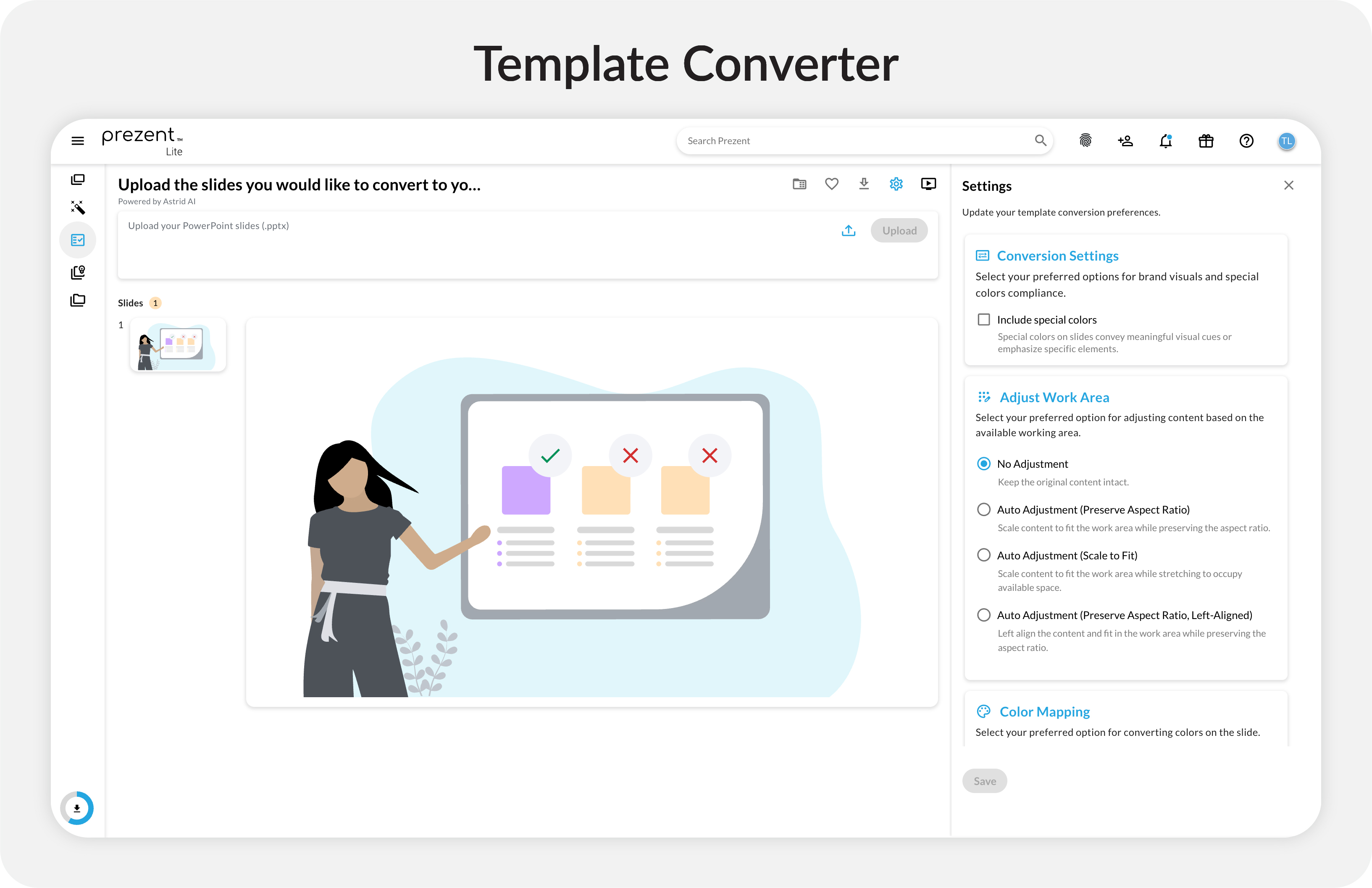
Template Converter quickly reformats existing presentations into your available brand-aligned template. It eliminates hours of manual work by aligning fonts, colors, layouts, and visual elements in just a few clicks. Whether you’re refreshing an old deck or updating a presentation’s look, Template Converter keeps slides visually balanced and message-driven—delivering a polished result without tedious editing.
How it works

Presentation Library is a centralized hub for managing and reusing decks across your team or for individual use. It stores approved presentations, keeps content organized, and prevents duplicate work by making previous efforts easy to find and repurpose. Instead of searching email threads or network drives, you can access your entire team’s presentation history in one place.
The library also supports tagging and categorization, making it easier to locate relevant content for new projects. This promotes consistency across teams and accelerates deck creation by reusing proven slides or complete decks that have already been reviewed and refined.
How it works

Prezent Lite goes beyond tools and templates. It equips you and your team with expert knowledge so every presentation tells a compelling story and resonates with its audience.
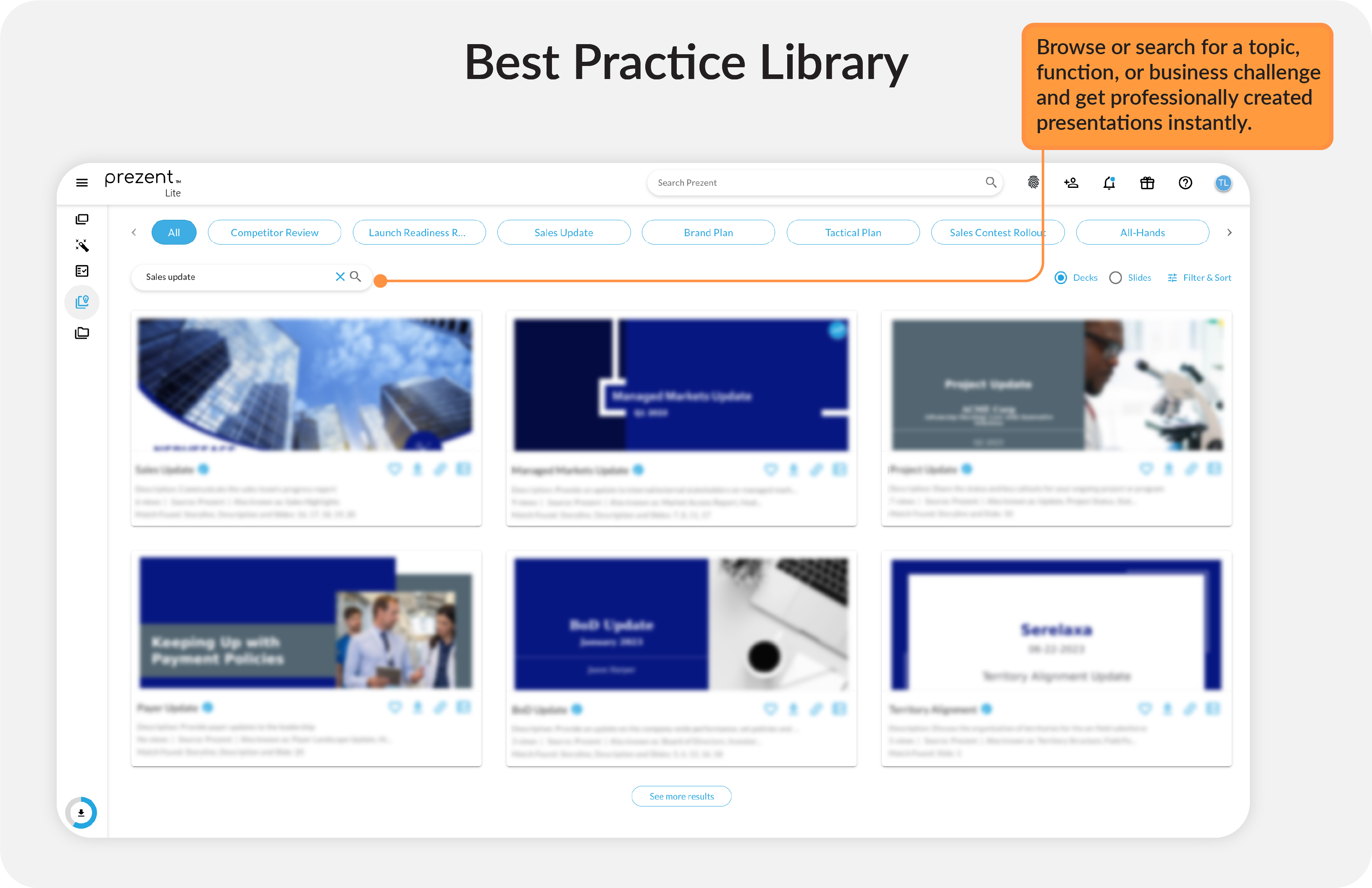
This is a curated collection of expert-created slides and full presentations designed for different roles, functions, and industries. It gives you access to proven frameworks and storytelling techniques that top-performing teams use, so you can elevate the quality of your content without reinventing the wheel.
This library acts as a training and inspiration resource. This includes Board of Directors Meeting decks, Forecasting Updates, or Launch Readiness Reviews. By using these already-made examples, you can quickly adopt practices that consultants and communication specialists rely on.
How it works

Communication Fingerprints is like a Myers-Briggs for communication style. Every person has a unique way of consuming and processing information, and this feature makes those preferences visible across your organization. By completing your own fingerprint, you give colleagues a clear understanding of how to present to you most effectively—and you gain insights into how to tailor your presentations for them.
You might have an executive who prefers concise summaries, or a marketer who loves visually rich, image-heavy slides. Prezent Lite’s AI takes these preferences into account, ensuring every deck you create resonates with its audience. This eliminates guesswork, reduces revisions, and strengthens connections between teams.
How it works

Prezent offers multiple plans tailored to different needs and team sizes. Whether you’re an individual, a small team, or a large organization, there’s a plan designed for you. For a detailed feature-by-feature breakdown, view the full comparison here.
Prezent Lite includes comprehensive self-service resources designed to help you succeed:
Prezent Lite brings AI-based presentation power to every professional and small team. With fast creation tools, powerful transformation options, curated best practices, and self-service convenience, it redefines how you communicate. Start your Prezent Lite journey today and experience presentations that are better, faster, and smarter.

Bharti is a product marketing writer at Prezent who believes great writing starts with deep reading. She began her career in finance, switched paths in 2019, and has since worked with Kintegra, Clearout, Miko, CaratLane, and, of course, Prezent. From content marketing to product marketing, she enjoys simplifying complex product and technical ideas without losing meaning. As she always says, “If it needs explaining twice, it needs better writing.”
Connect with her on LinkedIn.













