Prezi vs PowerPoint: Finding the right presentation tool for enterprises
Enterprise guide to Prezi vs PowerPoint that compares features, collaboration, brand control and AI support so teams can choose the right presentation tool at scale.
In large organizations, presentations aren’t just slides. They’re how strategies are shared, training is delivered, products are launched, and deals are won. The right software makes all the difference. When teams compare Prezi vs PowerPoint and look beyond surface features, the real question becomes: which tool supports clarity, speed, and consistent communication at enterprise scale?
It impacts engagement and clarity: A well-structured, on-brand deck keeps audiences focused and helps complex data land with ease.
It affects productivity: Formatting, ensuring compliance, and collaborating across teams can drain countless hours.
It has cost implications: Inefficient tools, rework, and design outsourcing add up quickly.
So, when enterprises evaluate presentation platforms, the question isn’t only about features. It’s also about scalability, governance, security, and the ability to enforce brand and save time at scale. Teams often need reliable methods to move faster, and be able to even build a presentation in 20 minutes.
In this article, I compare Prezi and PowerPoint. I also look at Prezent, an AI-powered platform built for enterprise communication needs.
How I evaluated these tools
Before comparing the tools, I defined the criteria that matter in enterprise environments. I use these same checks when teams ask for guidance on upgrading their presentation systems.
My evaluation criteria
Ease of use for non designers
Time needed to create and update slides
Quality and depth of templates
Control of branding and visual identity
Strength of collaboration features
Workflow support for large teams
AI support that helps beyond drafting
Content reuse across departments
Governance and admin control
Ability to scale across thousands of users
Pricing that reflects enterprise value
I applied these criteria to Prezi, PowerPoint and Prezent using real examples like internal updates, leadership reports, client presentations and data stories. I wanted to see how each tool performs when the stakes are high and deadlines are short.
Quick table for feature comparison
Enterprise factor
Prezi
PowerPoint
Prezent
Story format
Non-linear zooming canvas
Linear slide-by-slide flow
AI-guided business structure
Template quality
Moderate
Large set and custom enterprise templates
35,000+ slides and 1,000+ storylines
Collaboration
Cloud-based and simple
Real-time in Microsoft 365
Structured workflows for large teams
Brand control
Basic brand options
Manual enforcement
Automated brand locking
AI support
Basic deck generation
Copilot for drafts
Astrid AI for business communication
Personalization
None
None
Audience-based personalization
Enterprise oversight
Limited
Moderate
High
Consistency at scale
Hard to enforce
Depends on discipline
Built into the system
Prezi: dynamic but limited for enterprise scale
Prezi is known for its zooming canvas and non-linear storytelling. When I tested it, I understood why it stands out in creative settings. The format feels fresh. It works well when the story is simple, and the goal is to energize the audience.
Common use cases
I see Prezi used most often in:
Workshops and training sessions
Early marketing presentations
Visual storytelling for campaigns
Conference and event talks
Situations where novelty helps engagement
It works for teams that build presentations occasionally and value visual flair over strict structure.
Features explained and my view
Zooming canvas: The canvas allows movement and non-linear flow. I like this for short, creative stories. But in longer enterprise decks, navigation becomes harder. Review cycles also become more complex because people cannot scan it easily slide by slide.
Collaboration: Prezi supports cloud editing. It works for small groups. When I tested it with large teams, I felt the need for clearer workflows, approvals and version history. Enterprise collaboration requires structure, not only shared editing.
AI assistance: Prezi can create a basic deck from text prompts. In my tests, I still rewrote slides for clarity and adjusted layout for visual alignment. The AI helps with early momentum but does not understand enterprise communication standards. Brand governance: Brand control is limited. You can set theme elements, but you cannot enforce them across teams. When I created multiple presentations, visual drift happened quickly.
Best suited for
Prezi is best for:
Creative teams
Training and workshop environments
High energy storytelling
Small groups of expert users
If your organization needs alignment across hundreds or thousands of presentations, Prezi alone will not meet the governance requirements.
Pricing
Public sources place individual paid tiers in the range of 15 to 39 dollars per user per month depending on features. Enterprise tiers cost more and depend on collaboration and admin requirements. Prices vary by region. The best approach is to confirm on Prezi's pricing page.
Pros
Engaging visual format
Memorable for audiences
Good for lightweight storytelling
Cloud based
Cons
Limited brand control
Hard to maintain consistency across teams
Learning curve for new users
Lacks structured enterprise workflows
What users say
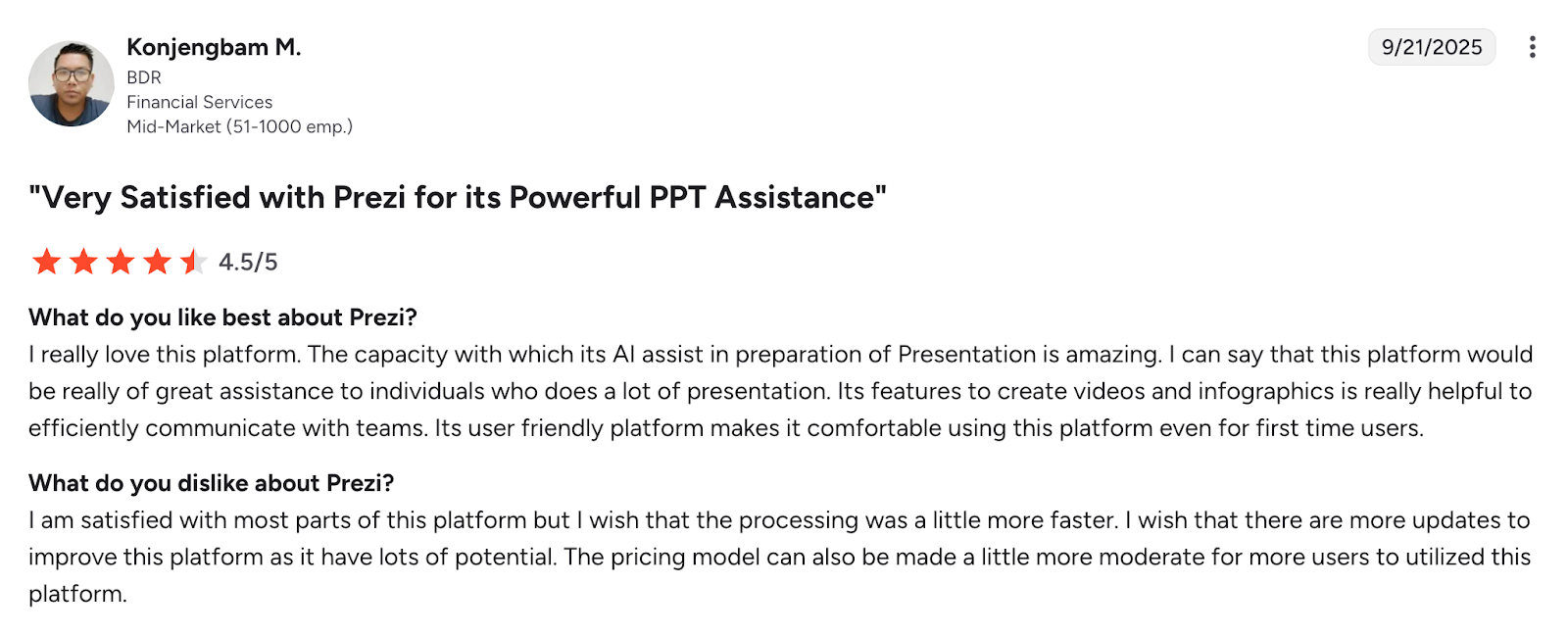
Prezi holds a rating of about 4.2 out of 5 on G2. Users praise the visual style and storytelling potential. They also highlight the learning curve and the challenge of keeping designs consistent in large teams.
PowerPoint: familiar but time intensive
PowerPoint is the default tool in most enterprises. People know it. IT supports it. It fits naturally in Microsoft 365. When I tested it, I focused on how well it supports modern enterprise demands.
Common use cases
PowerPoint is used across almost every team:
Executive and board presentations
Financial and operational reporting
Technical and training documentation
Sales and customer pitches
Internal status updates and project reviews
It covers simple and complex use cases but relies heavily on manual formatting.
Features explained and my view
Template library: PowerPoint offers a large library. Most enterprises replace it with custom templates. In my tests, the challenge was not template availability. It was preventing people from modifying layouts and colors.
Integration with Microsoft 365: PowerPoint works smoothly with Teams, Excel, Word, SharePoint and OneDrive. If you use Microsoft 365, this reduces friction. Collaboration works well, especially for co authoring.
AI support through Copilot: Copilot can draft slides and summaries. It helps with early structure. But it does not reduce the effort needed to refine the story or enforce brand guidelines.
Brand compliance: Brand rules depend on discipline. In every real workflow, I saw slides drift. Fonts change. Colors shift. Templates get outdated. PowerPoint gives flexibility, but that same flexibility creates inconsistency.
Best suited for
PowerPoint works well when:
Your teams already use Microsoft 365
You rely on a large archive of existing decks
Offline access is important
You need a flexible canvas for any layout
PowerPoint alone does not solve speed or consistency challenges at scale.
Pricing
PowerPoint is included in Microsoft 365 business and enterprise plans. Public pricing for business plans often starts in the range of 6 to 8 dollars per user per month and increases with features. Consumer plans start around 7 to 13 dollars per month depending on tier.
Pros
Very familiar
Works online and offline
Integrates with all Microsoft products
Flexible for detailed custom layouts
Cons
Brand drift is common
Manual formatting takes time
AI support is generic
Template management depends on process
What users say
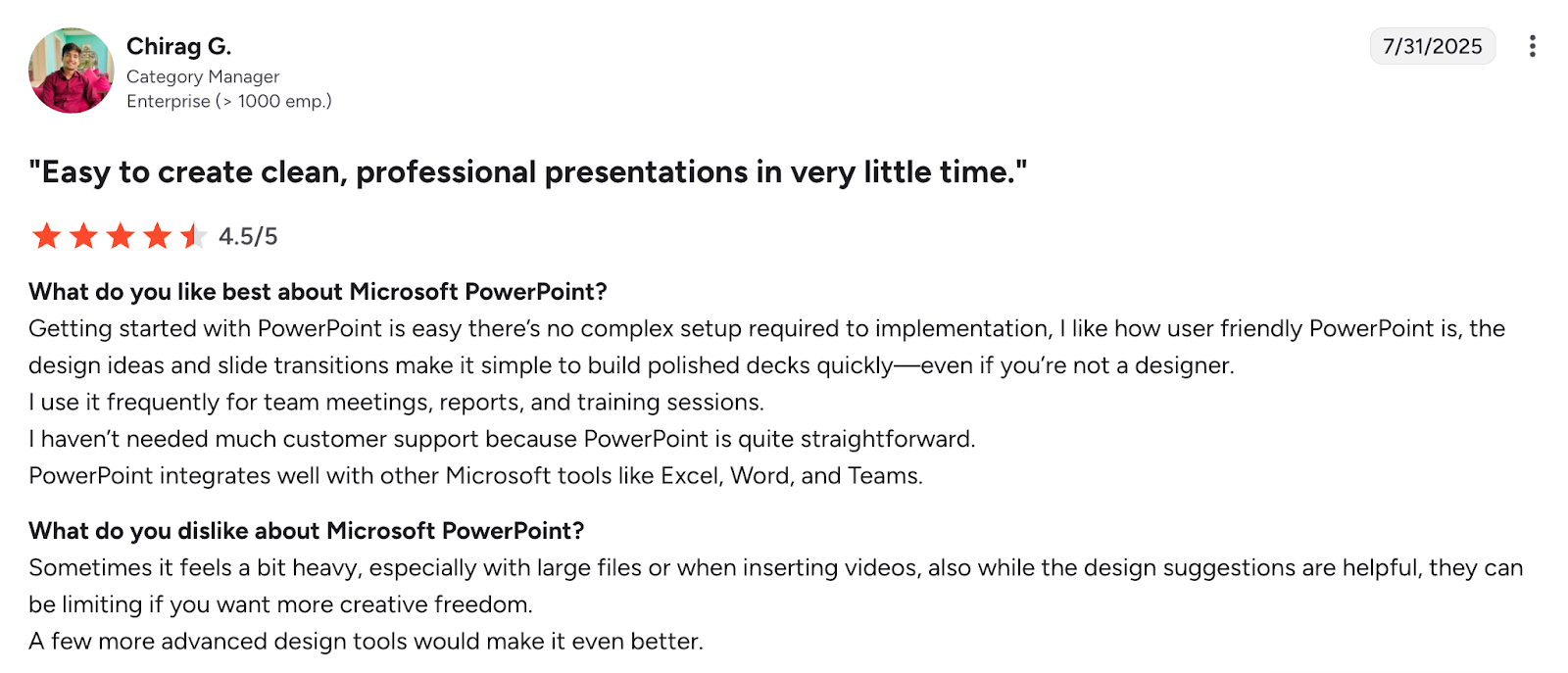
PowerPoint holds a rating above 4.5 out of 5 on G2. Users point to its flexibility and familiarity. They also mention the heavy time investment required to format slides and keep templates consistent.
Prezent: Built for enterprise speed, scale, and impact
While Prezi and PowerPoint focus on slide creation, Prezent takes a very different approach. When I tested it, I focused on how it performs in situations where large organizations need clarity, speed, and consistent visual standards. Prezent was built for on brand business communication, not just slide formatting.
Common use cases
I see Prezent used most often in:
executive and board-level presentations
sales and customer decks that must stay on brand
recurring business updates and operations reviews
strategy documents where structure matters
cross-functional projects where many people contribute
In my view, it works best when a company wants to reduce manual formatting and maintain consistent communication across many teams.
Features explained and my view
AI Auto Generator: Astrid AI creates structured, on-brand presentations from prompts, documents, outlines, or uploaded files. In my tests, it required fewer edits than other tools. It produced organized narratives that business audiences expect.
Large, business-focused library: Prezent includes 35,000+ slides, 1,000+ storylines, 10,000+ ready-to-use decks that match real enterprise use cases. This helped me start from proven frameworks rather than blank slides. It also improved consistency across teams.
Brand compliance and automation: Prezent locks brand rules into the platform. Fonts, colors, logos, and layout systems stay intact regardless of who builds the deck. This is a major difference from tools where every user can override visual standards.
The Communication Fingerprints™: Prezent adapts decks based on audience preferences. When I tested it, the tone and framing shifted when presenting to executives, customers, or technical teams. This improved message clarity.
Collaboration and workflows: Prezent supports structured workflows. Admins can manage permissions, templates, and content libraries. This aligns well with how enterprises run reviews and approvals.
Best suited for
Prezent is a strong fit for:
mid to large enterprises that create many presentations
teams that value brand consistency
organizations that want faster turnaround time
teams that want business focused AI instead of draft only AI
companies with distributed teams and shared libraries
Most companies use Prezent as the creation layer and export to PowerPoint when needed.
Pricing
Prezent uses enterprise pricing. Public sources describe it as a premium product designed for large teams. Pricing depends on company size, training needs, and onboarding scope. The most accurate quote will come from the Prezent sales team.
Pros
strong focus on business storytelling
AI tuned for enterprise communication
large, reusable slide and storyline library
automated brand consistency
structured collaboration for big teams
Cons
works best for mid to large teams
requires onboarding to set up brand and audience profiles
teams may take time to shift from manual slide building
What users say
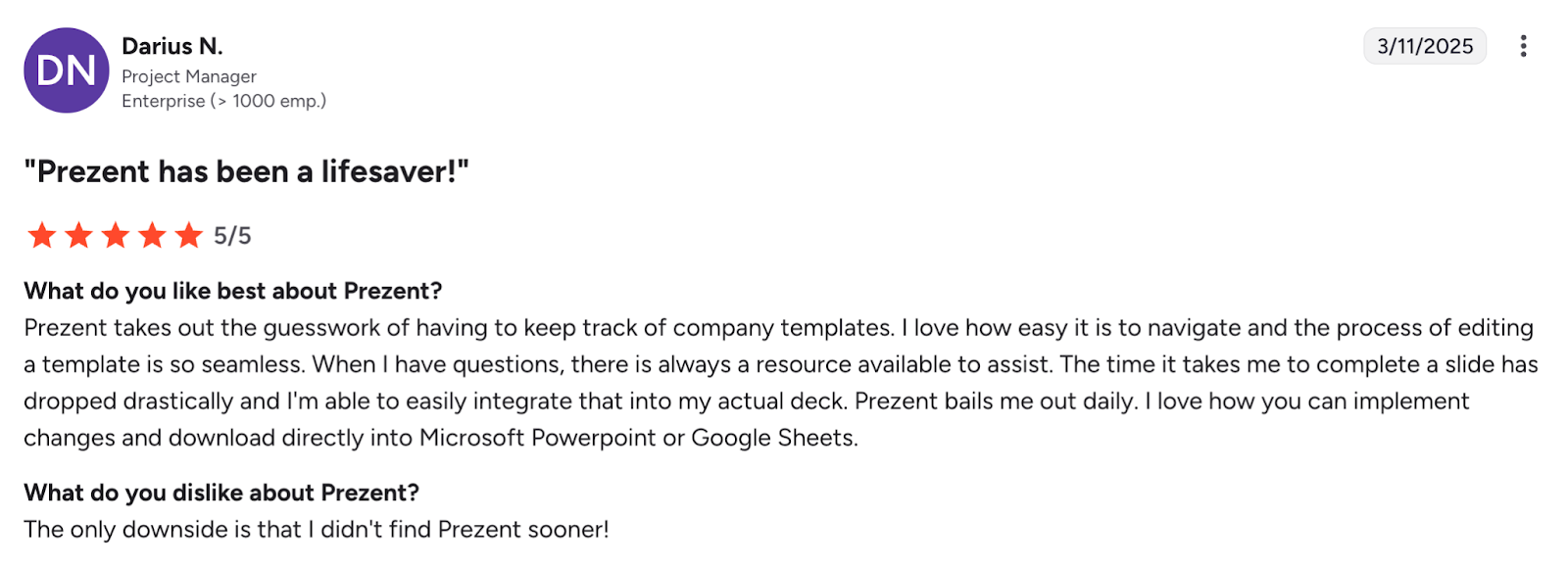
Prezent has a rating of about 4.5 out of 5 on G2. Users highlight time savings, clarity, brand consistency, and ease of collaboration. They also mention that onboarding is key to unlocking full value.
Enterprise feature comparison
If your enterprise…
PowerPoint is likely enough
Prezi might be appealing
Prezent is probably the best fit
Is heavily invested in Microsoft tools
Yes
Uses many existing slides and templates
Yes
Needs offline access
Yes
Prioritizes visual storytelling
Yes
Wants dynamic and non-linear motion
Yes
Wants fast turnaround across many teams
Yes
Values consistent brand identity
Yes
Wants AI and template automation
Yes
Needs deep control and collaboration
Yes
Yes
Yes
Creates external client decks often
Yes
Yes
Yes
Creates internal technical or heavy content
Yes
Yes
Tools not considered
There are other tools in the presentation space. I did not include them in this comparison, but here is a short reference list.
Google Slides: good for Google Workspace environments but similar to PowerPoint in structure.
Apple Keynote: polished design but less common in mixed device enterprises.
Canva: helpful for simple decks but not focused on enterprise governance.
Beautiful.ai: offers templates but does not provide deep brand control.
Pitch: modern interface but still maturing for enterprise needs.
Frequently asked questions about Prezi vs PowerPoint
1. Which tool is easier for large teams to adopt?
PowerPoint is easier to adopt because most employees already know it. Prezi requires training because of its canvas based structure.
2. Which tool is better for brand consistency?
Both Prezi and PowerPoint rely on manual rules. Prezent offers automated brand control, which prevents drift.
3. Which tool is better for storytelling?
Prezi works well for visual storytelling and motion. PowerPoint is better for structured stories. Prezent creates structured narratives with aligned visuals.
4. How do the AI features compare?
Prezi and PowerPoint help with drafting. Prezent helps with message clarity, structure and branding.
5. Is Prezent a replacement for PowerPoint?
Prezent usually works alongside PowerPoint. Teams build in Prezent and export to PowerPoint when needed.
6. Which tool saves the most time?
Prezent saves the most time because it automates layout and brand alignment.
Why enterprises choose Prezent
Enterprise communication is complex. It requires clarity, speed and consistent standards. Many organizations choose Prezent because it reduces formatting time, protects the brand and improves message quality.
Astrid AI captures context, understands brand rules and adapts content to audience needs. It helps teams create clear and persuasive decks without losing time or consistency.
When I step back and compare all three tools, this is how I see it.
PowerPoint is the standard tool for everyday work.
Prezi is the creative tool for motion and storytelling.
Prezent is the enterprise tool for speed, clarity and brand control.
If you want to simplify presentation creation and keep every deck on brand, Prezent is worth exploring. A short demo usually shows the value quickly because teams recognize the time they will save.
Anoob is the Head of Content at Prezent with over 16 years of experience in marketing and content. He has worked with leading startups such as SocialPilot, Writesonic, BigBasket, FreshMenu, GupShup, and SimplyHired. Passionate about social media and digital tools, Anoob enjoys testing new platforms to help businesses make better marketing decisions. You can connect with him on LinkedIn.
The best B2B AI tools for enterprise teams: Features, pros and cons, pricing, and use cases
Find the best B2B AI tools for enterprise teams. Evaluate features, pricing, pros and cons, and use cases to choose tools that fit your workflows and deliver measurable impact.
11 best Genspark AI alternatives I tested for 2026
This guide covers the best Genspark AI alternatives for content, SEO, and presentations. Compare features, pricing, and real-world usability to find the right tool.
10 Best PopAI alternatives: Compare features, AI capabilities, pricing, and free plans
Find the best PopAI alternatives and AI presentation makers. Compare AI features, pricing, and free plans to create smarter, more professional presentations.
Best Plus AI Alternatives in 2026: Top 8 AI Presentation Tools
I tested the best Plus AI alternatives to see which tools actually create presentation-ready decks. Here are the top AI presentation tools worth using in 2026.
Nano Banana review: Evaluating strengths, workflow gaps, and AI solutions for enterprise presentations
Nano Banana review for enterprise presentations. Explore visual strengths, identify workflow gaps, and see how teams use AI to build faster, executive-ready presentations.
11 Best SlideShare Alternatives for Sharing Presentations
Explore the best SlideShare alternatives for creating and sharing presentations. Compare tools for hosting, collaboration, design, and presentation analytics.
An in-depth Beautiful.ai review covering features, pricing, pros, and limitations to help you decide if it’s the right presentation tool for your needs.
.jpg)













